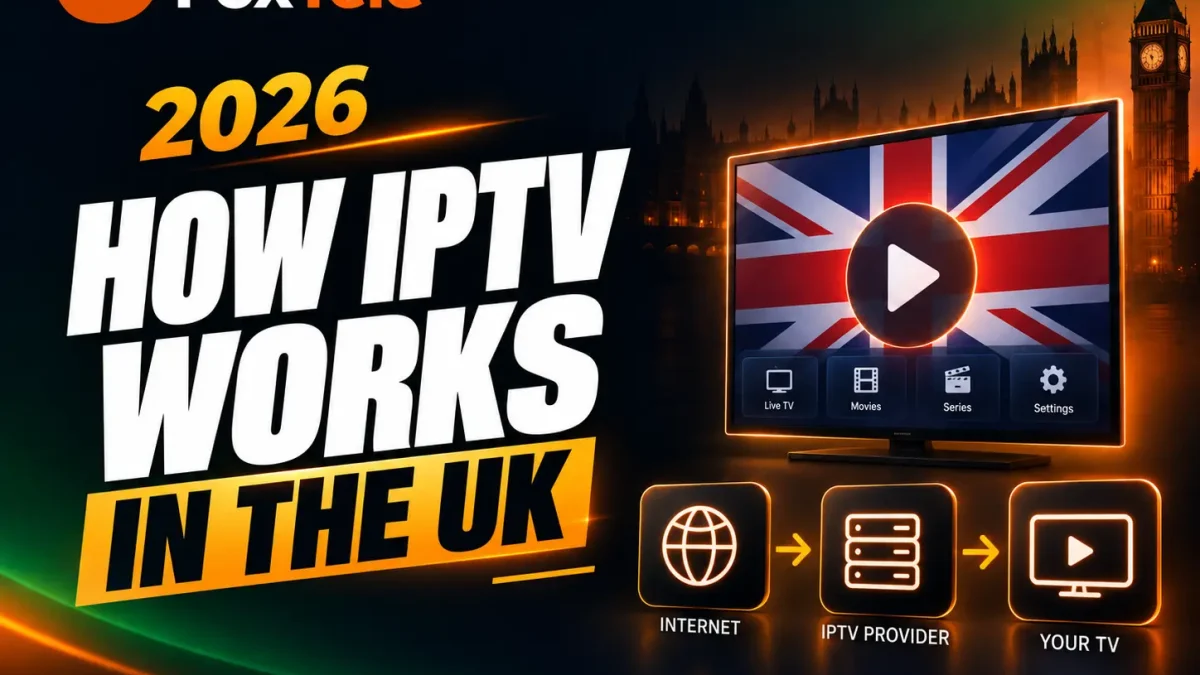
How does IPTV work in the UK? IPTV delivers television and video over an internet connection rather than through traditional terrestrial, satellite or cable delivery. In practice, you normally need four things: a working internet connection, a compatible device, an IPTV player or app, and valid service credentials from an IPTV subscription. The player connects to the service, loads the available guide and content, and sends the selected stream to your screen.
What Is IPTV?
IPTV is television or video delivered over an internet connection. A viewer normally needs internet access, a compatible device, a player app and valid service credentials.
IPTV means Internet Protocol Television. It describes television or video delivered using internet protocol networks. Ofcom explains that some channels available on a smart TV are delivered through the internet and are commonly referred to as IPTV. Read Ofcom’s information on internet protocol TV for UK broadcast context.
IPTV can include live TV over the internet, on-demand films and series, catch-up features or an electronic programme guide (EPG), depending on the service. “IPTV” describes the delivery method; it does not by itself identify a particular provider, app or content catalogue.
How Does IPTV Work Step by Step?
- You obtain service access. You choose an IPTV service and complete its order or subscription process.
- Credentials or playlist details are provided. The service sends the information your compatible player needs, such as a login, portal or playlist format.
- You install a compatible player. The player is the app or interface on your TV, streaming stick, phone, tablet or computer.
- The player connects to the service. You enter the supplied details and allow the app to load channels, guide data or on-demand sections.
- The selected stream is delivered. When you choose a channel or programme, video data travels over your internet connection to the player and then to your screen.
The exact screens and labels differ between devices and players, but the basic flow remains the same: service access, player setup, connection and playback.
What Do You Need to Use IPTV?
- A stable broadband or mobile-data connection suitable for the content quality you want to watch.
- A compatible screen or device, such as a Smart TV, Fire TV Stick, Android TV/Google TV device, mobile, tablet, Windows computer or Mac.
- An IPTV player that supports the login or playlist format supplied by the service.
- Your valid service credentials and setup instructions.
You do not need a special satellite dish for internet-delivered IPTV, but you do need software that can receive and play the service. Device and app availability can vary, so confirm compatibility before buying or installing anything.
IPTV Service vs IPTV Player: What’s the Difference?
The IPTV service is the access layer. It supplies the account or credentials and the streams, guide data or on-demand catalogue associated with that subscription.
The IPTV player is the software layer. It provides the menus, playlist fields, electronic programme guide and playback controls. A player may be available from a third party and can have its own terms, advertising or premium licence fee. Your IPTV subscription does not automatically include every third-party app or paid player feature.
To compare software options, choose an IPTV player that suits your device.
Keeping these roles separate makes troubleshooting easier. If a login is rejected, the issue may be credentials or service access. If menus are difficult to use, the player may be the better place to investigate.
Which Devices Can You Use?
Smart TVs
Many modern Smart TVs have an app store and can run compatible players. The exact player choices depend on the television’s operating system and model. Check the app store and the service’s setup guidance rather than assuming every Smart TV supports every app.
Fire TV Stick
Fire TV devices install apps through the Amazon Appstore when those apps are available for the device. Amazon’s Fire TV guidance explains the normal app-download process. Older and newer Fire TV models can differ, so verify the operating system and player requirements.
Android TV and Google TV
Google says apps can be searched for and installed through Google TV when they are available for the device. Google’s installation guidance is a useful starting point. Availability can depend on the device, app developer and region.
Phones, tablets and computers
Some services can be used through a mobile player, web-compatible player or desktop application. Confirm whether your chosen player supports Android, iOS, Windows or macOS and whether the interface is comfortable on a smaller screen.
What Affects IPTV Streaming Quality?
Playback quality is the result of several parts working together:
- Source stream: the supplied stream may be HD, FHD, 4K or another format, and availability can vary by channel or programme.
- Broadband: the connection must deliver data consistently, not only show a high headline speed.
- Wi-Fi: distance, walls, interference and competing devices can affect the signal between your router and screen.
- Router and household demand: downloads, video calls and other streams can compete for capacity.
- Device performance: older hardware may struggle with higher-resolution playback or complex menus.
- Player configuration: decoder, buffer and external-player settings can affect results.
Ofcom recommends checking the speed you actually receive, considering other household usage and trying Ethernet where practical. Its broadband guidance is useful when diagnosing whether a problem is local to the network rather than the IPTV service. See Ofcom’s Wi-Fi and broadband troubleshooting advice.
For a practical diagnosis, use the IPTV buffering guide.
Is IPTV the Same as Streaming Apps?
They use similar internet delivery principles, but the terms are used differently. Mainstream streaming apps generally centre on one company’s catalogue and account system. IPTV can refer to a service that combines live channels, guide data and on-demand sections inside a compatible player.
The distinction is practical rather than a promise about a particular catalogue. Always check what the service provides, which app receives the credentials and which devices are supported.
What Happens After You Get an IPTV Subscription?
For FoxTele, the confirmed journey is:
- Choose a plan.
- Complete the order.
- Receive setup or access details by email or WhatsApp after confirmation.
- Configure a compatible player and device.
- Start streaming and contact support if you need help.
No exact activation time should be assumed unless it has been confirmed for your order. For device questions, see the FoxTele How It Works section or contact support.
Common IPTV Terms Explained
- M3U
- A playlist format that can contain stream addresses and channel information for a compatible player.
- Xtream Codes
- A commonly used login format with fields such as server address, username and password.
- EPG
- Electronic Programme Guide data showing programme names, times and schedule information.
- IPTV player
- The app or software that loads the service details and plays the selected stream.
- Live channels
- Channels intended to play as a live schedule rather than an on-demand title.
- VOD
- Video on demand: films, series or other programmes selected for playback when you choose them.
Frequently Asked Questions
What does IPTV stand for?
IPTV stands for Internet Protocol Television, meaning television or video delivered over an IP network such as the internet.
Do I need a special TV for IPTV?
No special television is required, but you need a compatible device and player. A Smart TV, Fire TV Stick, Android TV/Google TV device, phone, tablet, Windows computer or Mac may work when supported.
Is an IPTV player the same as an IPTV subscription?
No. The subscription provides service access; the player is the software used to load and play it. A third-party player may have separate fees.
Can IPTV work over Wi-Fi?
Yes, when the Wi-Fi connection is stable enough for the chosen stream. Ethernet can be worth testing if distance, interference or household traffic causes problems.
What should I do if IPTV buffers?
Check the player, device, Wi-Fi signal, router position and other household traffic. Try Ethernet where practical, then contact the service’s support team if the issue continues.
Ready to Explore FoxTele UK Plans?
FoxTele gives UK viewers a clear path from plan selection to setup on a compatible device. View FoxTele UK IPTV plans, read the IPTV subscription buying checklist or visit the FAQ before you decide.